Notes here. Conversations there.
START and CHAT both include #this-browser: a working local notebook beside a local address book. The experimental cloud conversation panel is separate and never receives a local note automatically.
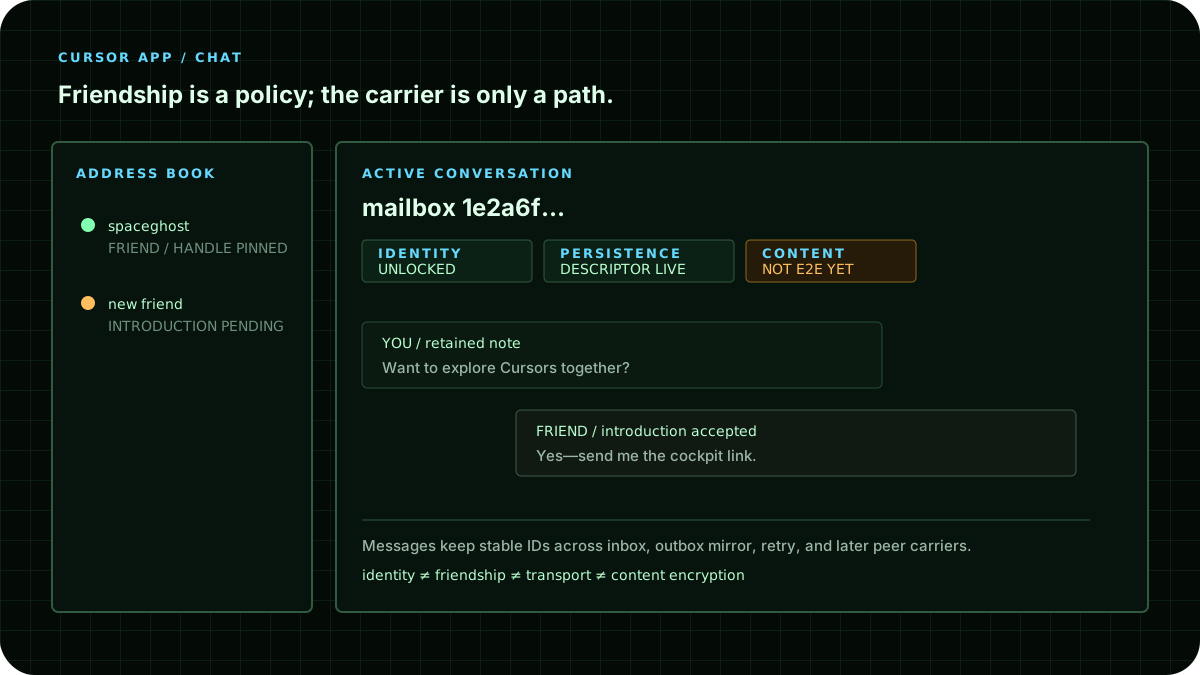
Try the local notebook first
Write a short note under #this-browser and choose SAVE LOCAL NOTE. A successful local write clears the composer and shows Saved in this browser. Reload to find it again. The same local channel is inspectable from the cockpit's local mailbox.
There is no pretend public room or invented online friend here. Another tab on this same origin can observe local changes; that is not another person's remote delivery. Local notes are not encrypted and may disappear when you clear site data or close a private-browsing session.
Put a person in the address book
Enter a name and their public 40-character mailbox handle, or their mbx:… identity address, then choose SAVE CONTACT LOCALLY. Copy an address only through a channel you trust, such as an existing conversation or an in-person exchange.
Saving a contact does not send anything, connect a transport, prove a person's identity, or grant authority. Use Remove to remove only that local label. Guest and Self address books are separate; creating an identity does not silently migrate the guest contacts.
Use the cloud panel only when it is available
The strip below the navigation reports current deployment observations. Paused, unavailable, offline, and unknown keep cloud controls disabled. Local tools remain separate. Configuration observed permits trying an operation but is not proof that authentication or a write will succeed.
When compatible APIs are available:
- Both people open SIGN IN + RESUME, create or unlock their existing passkey Self, and choose PUBLISH PUBLIC MAILBOX. Wait for the operation's own success message.
- Exchange the public 40-character handles through a trusted channel. The cloud target field uses this handle, not the longer identity address.
- Send a short introduction from the sign-in page. The recipient uses REFRESH INTRODUCTIONS and accepts it deliberately.
- In the experimental cloud panel, paste the other handle. ADD FRIEND updates the cloud mailbox policy; this is distinct from the local address-book button.
- Send a non-secret test note, then use SYNC CONVERSATIONS to read retained inbox and outbox-mirror entries.
A failed policy read does not authorize replacing the policy with an empty friend list. The UI must report the failure and leave policy unchanged.
Read the three different facts
Identity tells you whether the local signing key is missing, encrypted and locked, or unlocked in this page session.
Persistence reports the result of a public descriptor lookup. A failed lookup remains unknown. A descriptor does not prove that a note was stored.
Content says NOT E2E YET. The prototype sends cloud note text to the Worker. Do not use it for passwords, private keys, private documents, health or financial information, or anything you need hidden from the service.
The misleading field name ciphertext in a protocol request does not make the browser's plaintext encrypted. Transport TLS and signed requests are not end-to-end message privacy.
What the delivery result means
A successful service receipt can confirm that this service accepted a note. It does not prove the recipient read it, an application executed it, or every mirror survived. Readback and later receipts are separate evidence.
The service prototype retains an inbox envelope and requests a sender mirror. Offline mailbox recovery and other carriers have their own availability and authority boundaries. Do not infer a working LAN or peer chat path from a diagram.
Continue with Sign in, Save, and Come Back, Offline First, or Peer Locality.
On iPhone or without WebRTC
Use Cursors on iPhone and iPad for local notes, verified published HTTPS parts, HTTPS-only mode, and returning after the phone sleeps. This does not enable a paused cloud service, guarantee cold offline boot, or make cloud notes end-to-end encrypted.